Troubleshooting Common Mi Portal FONE Login Issues
Logging in to Mi Portal FONE SEP is essential for Mexican teachers and education personnel who want to access their digital pay stubs and payroll data. However, users sometimes face login problems such as CURP errors, incorrect passwords, CAPTCHA failures, or even account blocking.This step-by-step troubleshooting guide will help you solve Mi Portal FONE login problems with simple, practical solutions.
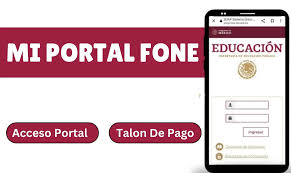
What Is Mi Portal FONE SEP?
Mi Portal FONE is the official payroll platform by the Secretaría de Educación Pública (SEP). It allows education workers to securely log in, download payment receipts, update personal information, and access tax-related documents. For complete details about MI Portal Fone, you can also click here. If you are having issues logging into your account, keep reading. This guide includes solutions to all common login problems on the portal.
Problem 1: CURP Not Recognized
Cause:
- Incorrect CURP format or spelling
- Outdated or unregistered CURP
- Technical glitches in the portal
Solution:
- Double-check your CURP at the official RENAPO website.
- Make sure there are no extra spaces or characters.
- If your CURP still isn’t accepted, email support at
Problem 2: Forgot or Incorrect Password
Cause:
- Typing errors
- Forgotten credentials
- Expired or weak passwords
Solution:
- Go to the official login page:
- Click on “¿Olvidaste tu contraseña?” (Forgot your password?)
- Enter your CURP and registered email address
- Solve the CAPTCHA and click “Enviar” (Submit)
- Check your inbox for a reset email and follow the link (valid for 30 minutes)
- Create a new strong password with uppercase, lowercase, numbers, and symbols
If you don’t receive the email, check your spam or junk folder.
Problem 3: CAPTCHA Verification Keeps Failing
Cause:
- JavaScript disabled
- Browser compatibility issues
- Refresh or timeout errors
Solution:
- Refresh the page and try again
- Make sure JavaScript is enabled in your browser settings
- Use Google Chrome or Mozilla Firefox for best results
- Avoid using autofill tools or browser extensions during CAPTCHA
If the issue continues, try accessing the site from another device or clear your cache and cookies.
Problem 4: Account Blocked
Cause:
- Too many failed login attempts
- Suspicious activity
- System error
Solution:
- Wait 30 minutes before trying to log in again
- If the issue remains, contact FONE support immediately
- Include your CURP, full name, and a brief explanation of the issue
Avoid making repeated login attempts once you suspect the account is blocked.
Pro Tips to Avoid Future Login Issues
- Use a strong and memorable password
- Keep your email address updated in your profile settings
- Do not share your login credentials
- Regularly clear your browser cache
- Bookmark the official portal to avoid phishing websites
Conclusion
Mi Portal FONE SEP is a vital tool for Mexican teachers and education workers, but like any system, it can experience technical glitches. Whether you’re facing a CURP validation issue, password problem, CAPTCHA failure, or a blocked account, this guide provides clear steps to help you fix the issue quickly.Stay calm, follow the instructions, and use official support channels to regain access.
